
Somebody on your team wants to connect an AI tool to your CRM, or maybe to the spreadsheet with every customer's name, email, and purchase history. It'll save hours a week, and setup takes two minutes.
It can take all of two minutes to paste an API key into a settings page or copy a customer list into a chat window, and neither step goes anywhere near procurement or privacy review. Because it feels like trying out a new app, nobody stops to ask the questions they'd ask any other vendor.
But AI tools are provided by vendors that merit the same review as any other, no matter how easy they are to deploy. The same goes for software you approved years ago: if it adds an AI feature, your data may now be going to a model provider you've never reviewed.
You already know how to vet vendors. You just need a few extra questions to ask AI vendors specifically.
The five questions below draw on a few major AI risk management frameworks:
- NIST's AI Risk Management Framework and its Generative AI Profile
- ISO/IEC 42001 and 23894
- The OWASP AI Exchange
- The Cloud Security Alliance's AI Controls Matrix
You won't need a legal degree or a machine learning background to ask any of these questions, and the answers will tell you whether you're comfortable connecting the tool to customer data.
1. Where Does the Data Actually Go?
Start with the basic question you'd ask any vendor: once you paste data in or connect an API, where does it go?
Ask the vendor to document the data flow. Most AI tools don't run their own models. They send your data to a model provider underneath, so you need to know which one, where it's hosted, and who else handles it.
NIST's Generative AI Profile lists "improper supplier vetting across the AI lifecycle" as part of the risk that comes from third-party components in an AI system. The OWASP AI Exchange makes the same point from the security side, extending supply chain management to "suppliers providing data, models, and hosting."
While you're at it, ask whether the tool needs the whole customer record or just a few fields. OWASP's data minimization control calls for removing data fields an AI application doesn't need. The less you send, the less there is to worry about.
Red flag: The vendor can't tell you which model provider processes your data, or where.
Get in writing: Documentation of where your data is processed and stored, and a list of every third party that receives it, including model providers.
2. Who Can See the Data, and for How Long?
A promise not to sell your data says nothing about who else gets to read it. In August 2025, contractors who help train Meta's AI claimed they could see users' names, phone numbers, email addresses, and photos in the chatbot conversations they reviewed.
Some disclosed, controlled review is okay, like monitoring for harmful content, but most users wouldn't expect an outside contractor to read conversations that identify them. NIST's Generative AI Profile treats that kind of "unauthorized use, disclosure, or de-anonymization" of personal information as a core data privacy risk.
Ask who has access on their end and how long they keep your data. Retention often differs by data type. Prompts, outputs, logs, and backups can each have their own clock, and a vendor that deletes prompts quickly might keep logs much longer. The OWASP AI Exchange's short-retain control sets a simple standard: remove or anonymize data once it's no longer needed.
Red flag: The vendor can't say whether contractors review your data, or its policy says it keeps data "as long as necessary" without giving a time frame.
Get in writing: How long each type of data is kept, and which employees or contractors can see it and why.
3. Is It Used to Train Their Models?
Some AI vendors use customer inputs to improve their models by default. Defaults also vary by plan, so the free or individual tier might train on your data while the business tier doesn't. Check which plan your team is actually using.
If a vendor says it doesn't train on your data, find where its terms say so. Be especially careful with AI features added to tools you already use. In 2024, Slack users found that its privacy principles let it analyze customer messages, content, and files to develop machine learning models by default, and opting out took an email to Slack from a workspace owner.
Terms can also change after you sign up: in 2023, Zoom rewrote its terms to rule out training AI on customer content after users objected to language it had added months earlier.
Get this answer before anyone connects the tool. Once data has trained a model, there's no reliable way to pull it back out. And since vendors change their terms after the fact, it’s essential to re-assess vendors’ AI practices on both a regular basis and whenever you become aware of a change.
Red flag: The company rep says your data won't be used for training, but you can't find that anywhere in the terms.
Get in writing: A no-training commitment that covers every product and AI feature your team uses, including ones the vendor adds later.
4. What's Their Incident Response Plan?
Ask what happens to your data if the vendor's system is breached or misused, and how fast you'd hear about it. Your clock to notify regulators and customers generally starts when you learn about the breach, which may be when the vendor tells you. But until then, your customers' data is exposed and you can't do anything about it.
The vendor’s incident response plan should cover AI-specific scenarios, because AI systems come with some new ways to fail. Researchers, regulators, and attackers are all testing AI vendors right now. OWASP's Top 10 for LLM Applications lists risks specific to AI that vendors need to plan for, like vulnerability to prompt injections and sensitive information disclosure.
NIST's Generative AI Profile also recommends that organizations request notification of serious incidents involving third-party AI systems and look for contract terms that cover incident response and response times.
Red flag: The vendor's incident response plan doesn't mention AI, or it won't commit to how fast it'll tell you about a breach.
Get in writing: A specific breach notification deadline, and the vendor's obligation to help with your investigation.
5. Can You Actually Get Your Data Back or Deleted?
Before you sign, find out what happens to your data when you leave, or when you request its deletion. Ask whether you can export your data and in what format, how the vendor deletes what's left, including backups, and whether it'll confirm in writing once it's done.
Even a confirmed deletion only covers the data the vendor still has stored. If your data was used to train a model, it may live on in the model itself. The European Data Protection Board has said that "AI models trained with personal data cannot, in all cases, be considered anonymous," and researchers have shown that a production model like ChatGPT can be prompted to reveal pieces of its training data. A deletion clause can't undo training, which is one more reason to settle the training question before you connect anything.
Red flag: The vendor offers to delete your account but can't explain what happens to your data, including backups.
Get in writing: A deadline for deletion, and written confirmation once it's done.
Make These Your Standard Questions for AI Vendors
An AI vendor is still a vendor. Add these five questions to the vendor reviews you already run.
With Osano Assessments, you can turn them into a custom assessment and send it to the vendor to fill out, so every answer ends up in writing. Set the review to recur, and your team can compare each round against the vendor's previous answers. And because Osano tracks products within each vendor, you can assess a new AI feature on its own, even when it shows up inside software you approved years ago.
DPIA Checklist
Need to work through a privacy impact assessment for an AI tool? Use our DPIA checklist.
Download Your Copy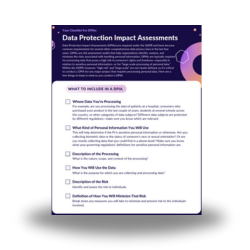

Chris Stephens
Chris Stephens
As Osano's Content Marketing & Design Specialist, Chris works closely with subject matter experts to turn complex technical systems into clear, compelling content that moves people and grows brands. Outside of work, Chris DJs house music, loves dancing and catching DJ sets around Chicago, and enjoys the occasional horror novel.